
Current task
ReStory: Chill Electronics Repairs spare parts
Evidence-backed player reference for ReStory: Chill Electronics Repairs covering spare parts, with version, source and media boundaries kept visible.
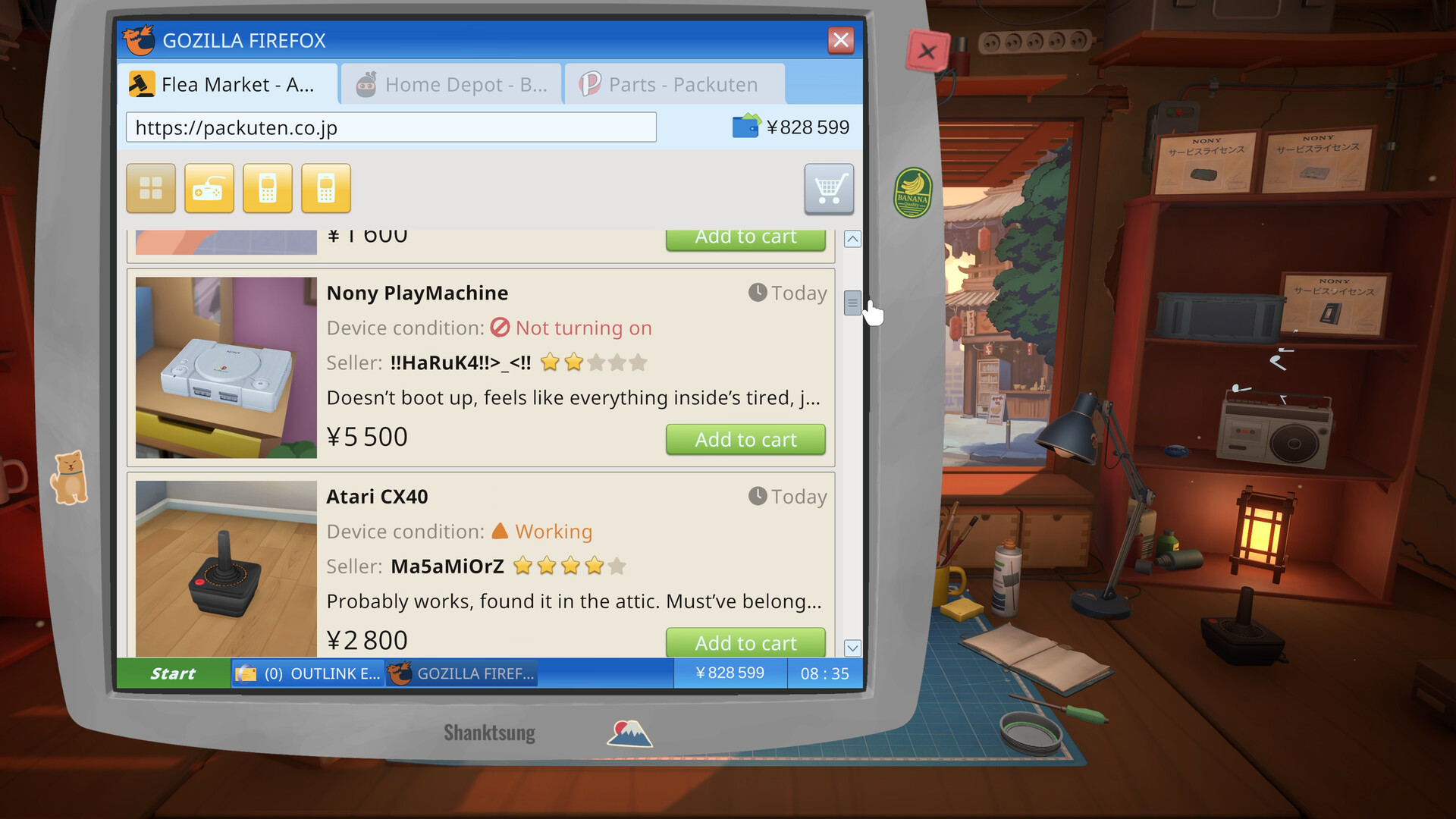
The browser belongs between inspection and replacement. Identify the request and device first, then use the period web interface and wallet context to understand sourcing before returning to the bench. The captured material supports that function without a complete item or price table. Patento BS provides the clearest named example for keeping the search tied to a fictional work order.
Current task
Find the game’s official parts-browser evidence.
Find the game’s official parts-browser evidence.
Working view: full-release-1.0.009r · captured
The spare parts browser is the in-game web activity that turns a broken device into a sourcing decision. The official store material names a web browser for ordering spare parts, and the supplied screenshot set shows retro browser panels, listings, and a shop wallet. This route explains how to read that system without inventing a complete catalog, price list, or universal best purchase.
The browser belongs between inspection and replacement. First understand the request and the device; then use the browser to find the item that answers the faulty-part problem; finally return to the bench and continue assembly. That order keeps the shop economy and the physical repair connected.
A browser inside a repair shop
ReStory’s browser is not a detached menu of upgrades. The published description places spare-part sourcing inside the repair business, and official screenshots make the activity look like a period web visit rather than a modern storefront. The interface can show listings, a wallet, and the player’s need to make a purchase for a real work order. It gives the game’s mid-2000s setting a practical role in the repair loop.
Treat the browser as a bridge between diagnosis and action. It helps answer what the shop can source, but it does not replace the workbench. A listing is only useful when it belongs to the device and the request in front of you. The captured research does not publish a complete list of every browser item, so a reliable guide should explain the function of the activity rather than fabricate item names or prices.
Its period interface matters because it makes sourcing feel like part of the shop’s world. The browser is still a functional bridge: inspect the named device, read the request, locate a relevant listing, and return to the physical repair. The available evidence supports that bridge, not a complete online marketplace. A player can use the route to decide when to leave the bench, what context to carry into the search, and why a listing should be checked against the current job before spending shop funds.
Inspect before you spend
The four-stage loop places cleaning before faulty-part replacement. That sequence is a strong reason to inspect and clean before opening the browser: the player needs a clear view of what has actually failed. The official screenshots of opened devices, dirt, boards, and separated casings support this visual logic even when they do not reveal a full repair solution for each named model.
For a first order, record three things: the named device, the apparent fault, and the part category you expect to source. Patento BS is the clearest captured example for this interface because it appears as a named device and as an opened workbench image. A note like “Patento BS / inspect board / source replacement part” is more useful than assuming a real-world component fits a fictional in-game object.
Inspection protects the shop from a premature purchase. Cleaning exposes the work area, the named device keeps the record stable, and the request explains what the replacement should solve. These checks use the game’s published sequence and avoid importing a real electronics repair manual into a fictional catalog.
Read the wallet as shop state
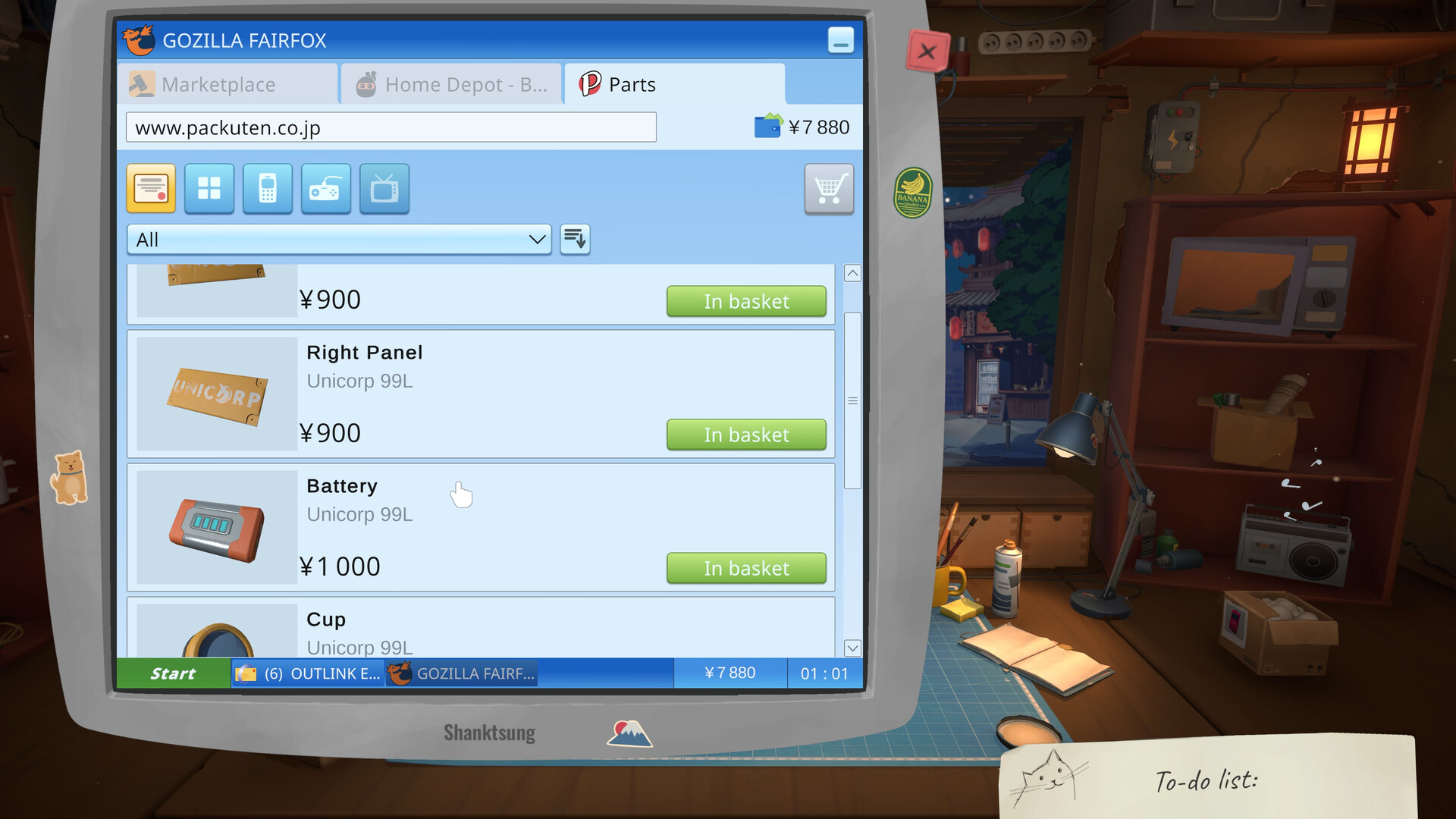
The parts screenshots place listings next to a wallet-like value, tying the browser to the shop’s finances. That connection means a part has a business cost as well as a technical role. The player is managing a repair shop, so the choice to buy should be read beside incoming orders, growth, and the money available for future work.
The available records do not provide a stable price table, regional currency rule, or a promise that every job pays the same way. The Steam store price observation—US$19.99 list and US$17.99 at the August 11 capture—is a separate product fact and should not be used as a shop-budget figure. Keep the two contexts separate when planning a repair.
The wallet view gives a purchase a visible business context, but it does not publish a universal profit calculation. Compare the part listing with the active job and the shop state. A live store discount or regional Steam price cannot be substituted for an in-game browser value.
Return from the browser to the bench
A sourced part only matters when it returns to the physical repair. The official loop says to replace faulty parts and then assemble the device, so the browser should hand back to the workbench rather than become an endpoint. The transition also gives the player a simple way to check whether the part choice makes sense: it should answer the fault that the inspection exposed.
Use the browser route together with Repair bench. The first explains the sourcing activity and its wallet context; the second explains how disassembly, cleaning, replacement, and assembly form one sequence. This paired reading avoids two common mistakes: treating the browser as a general shopping game or treating the bench as a visual minigame with no business consequence.
Returning to the bench is the browser’s success condition. A listing has player value only when it supports the named repair, and the four-stage order still ends with assembly and handoff. Reading the two routes together makes the sourcing system concrete without inventing an item-by-item walkthrough.
Why the period web look belongs here
The mid-2000s setting is visible in the browser’s presentation, not only in the story label. Retro listings, CRT equipment, and the small-shop context make the act of sourcing feel like a period task. The browser is a useful expression of the game’s larger contrast: familiar electronics work filtered through an older interface and a personal local business.
Enjoy the texture, but keep the player instruction concrete. Search the request, inspect the device, confirm the part category, and watch the shop wallet. The captured sources support that sequence and the presence of the browser. They do not support a hidden browser shortcut, an all-items checklist, or a claim that one purchase strategy works for every customer.
The retro web surface is evidence about presentation and setting, not proof of a hidden shortcut. Search the request, inspect the device, check the part category, and watch the shop wallet. That sequence gives the interface a player purpose while leaving unsupported browser contents unclaimed.