
Current task
ReStory: Chill Electronics Repairs Patento BS
Evidence-backed player reference for ReStory: Chill Electronics Repairs covering Patento BS, with version, source and media boundaries kept visible.
Current task
Open the named Patento BS device detail.
Open the named Patento BS device detail.
Working view: full-release-1.0.009r · captured
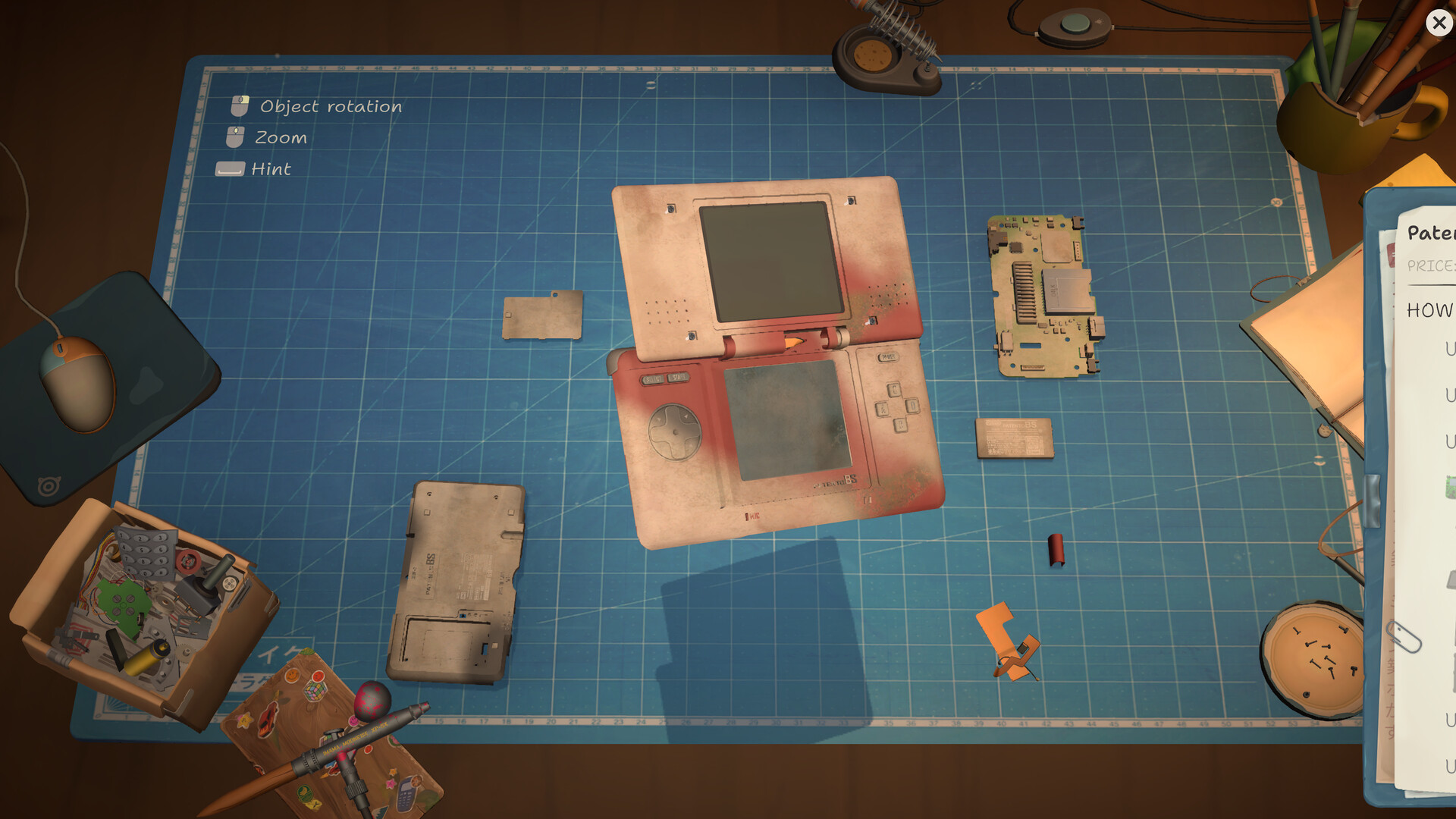
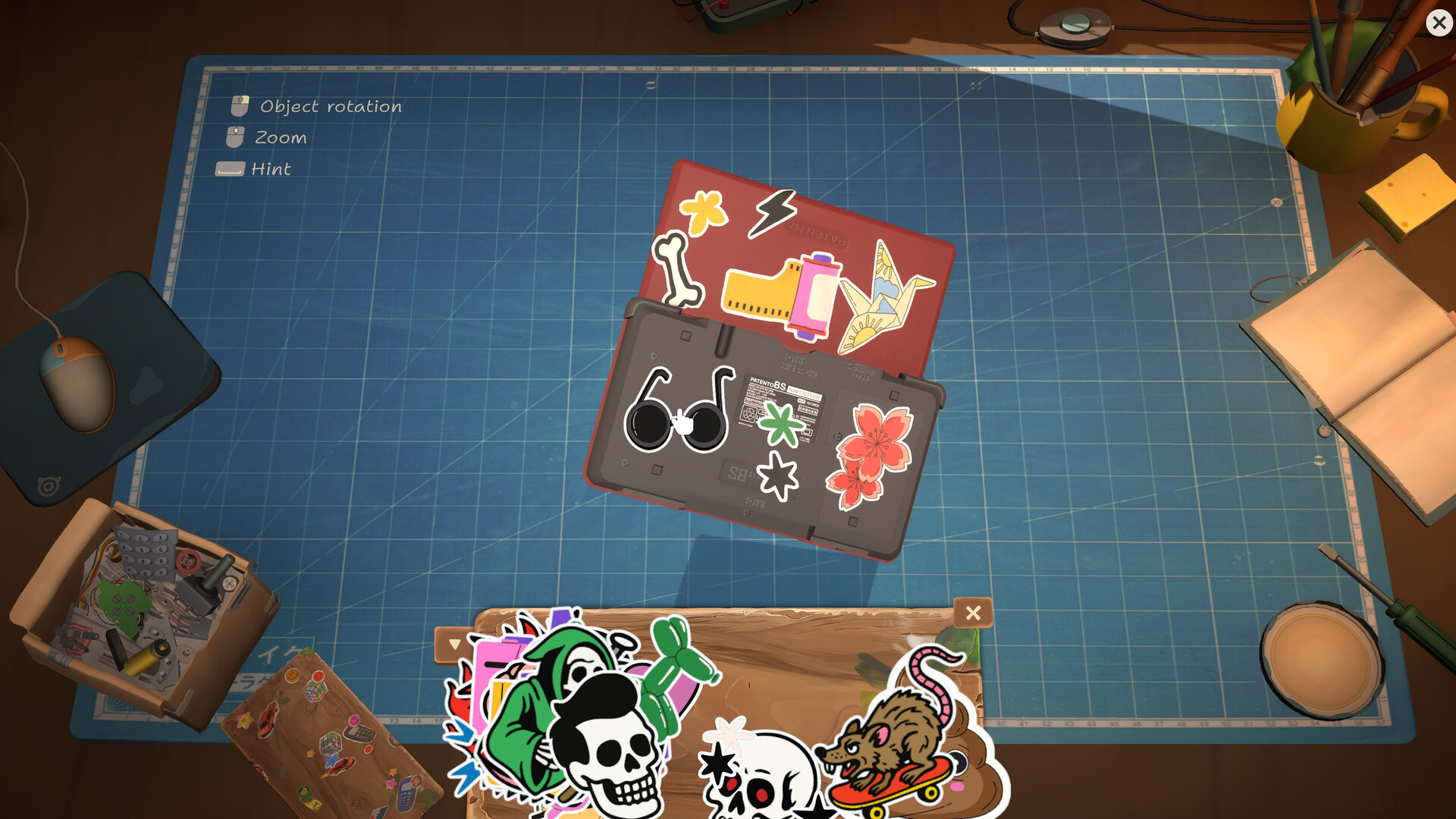
Patento BS is the named current work-order device used by this reference. The captured data lists it as a named record, and the official screenshot set shows an opened Patento BS on the repair table plus a view with stickers on the object. That combination makes it a useful anchor for understanding how a device record, a workbench image, and the four repair stages relate.
The detail below stays within the available record. It does not assign a real-world manufacturer, hidden component list, or a guaranteed solution path. Patento BS is useful precisely because the game presents it as its own object in the shop.
A fictional device with a stable name
Patento BS is a named entry in the captured device record, separate from broad labels such as handhelds or consoles. The page can therefore use the name confidently when describing the current work order. It is not necessary to map it to a real product in order to understand its role: the game gives the player an object to accept, open, clean, repair, and return.
The screenshot set reinforces that identity with a workbench view. The opened casing and exposed interior are visual evidence of the repair context, while the device record supplies the stable label. Keep those two forms of information together: one tells you what the object looks like in play, and the other tells you how the catalog names it.
What the workbench view establishes
The official view shows Patento BS opened on the repair table, surrounded by a cutting mat, a board, a casing, and small pieces. It establishes the device’s place in the repair loop and makes disassembly visible. It does not, by itself, establish the exact failed component, the final price of a part, or a required timing score.
Use the image as a recognition guide when moving from the device list to the repair bench. Once the object is open, follow the game’s own interaction and keep the four published stages in order. The detail page is strongest when it helps you identify the work order and then sends you back to the active bench.
The same object can carry shop personality
A second official image shows Patento BS with stickers, which adds a customization cue to the technical record. ReStory also names an airbrush, a color palette, and room decor as part of the shop’s growth. That means a device can be understood in two layers: the repair that restores function and the appearance choices that make the shop feel like the player’s workplace.
Do not turn the sticker view into a claim about every customization option. The captured material supports the presence of this visual example and the broader customization systems, but it does not publish an exhaustive decoration table. Treat the image as a confirmed style of interaction and the record as the confirmed identity of the device.
Patento BS record
| Field | Captured value | How to use it |
|---|---|---|
| Name | Patento BS | Use the stable name when moving between the lookup, bench and catalog. |
| Category | Named device record | Do not replace the fictional name with a real-world product. |
| Evidence status | Captured named device | The name is present in the supplied device record. |
| Note | Shown opened on the repair table and with stickers | The two views support recognition and customization context. |
| Source context | Full-release device and official store screenshots | Read the current work order against the captured version. |